Hey there! If you’re reading this, odds are you’re either tinkering with a robot project, troubleshooting a factory line that’s been acting wonky, or just curious about how those little (or huge) actuator bits get told what to do from across a room — or across the world. Full transparency: I’m not a robot engineer, I’m just the guy who sells actuators for a living (been doing it for 12 years, so I’ve picked up a thing or two), and let me tell you, remote control for these things is way less “rocket science” and way more “mixing the right tools with what your job actually needs”. I’ve seen too many teams grab the first random control method they find online and end up fighting latency or battery drain for weeks, so let’s break this down like we’re chatting over a coffee (minus the actual caffeine spill, promise). Actuator
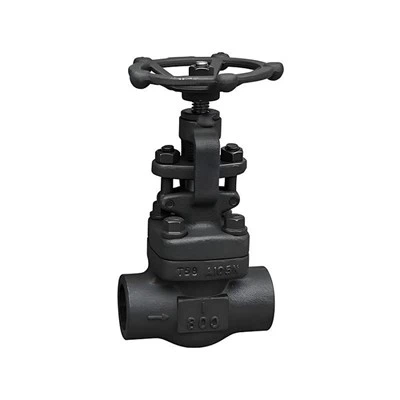
First off, let’s make sure we’re on the same page: an actuator is basically the muscle of any machine. It turns signals into motion — think the little motor that opens a warehouse bay door, the hydraulic arm that picks up auto parts on an assembly line, even the linear actuator that adjusts the seat in your fancy Tesla. Remote control here just means you’re not yanking a cord or flipping a physical switch right next to it; you’re sending a signal from somewhere else. That “somewhere else” could be 10 feet away or 10,000 miles away, and every method has its quirks — pros, cons, that one weird gotcha no blog post tells you about.
Let’s start with the most common, and honestly the workhorse for industrial stuff: wired remote control. Wait, hold on — I know, “wired” sounds like it’s from the 80s, but it’s still the go-to for 70% of the actuators I sell, and for good reason. The big ones here are Ethernet, RS-485, and CAN bus. Let’s keep it simple: Ethernet is that cable you use for your Wi-Fi extender, right? It’s fast, can go long distances (like hundreds of feet, even through concrete if you use industrial-grade cables), and works with pretty much every control software out there. If you’re running a big factory with a dozen robotic arms, Ethernet lets you sync all their movements in real time — no lag, no dropped signals. Then there’s RS-485, which is older but still killer for small to mid-sized setups. It uses two-wire cables, can handle up to 32 actuators on one single line, and doesn’t break the bank. I had a client last year who installed 18 linear actuators on a greenhouse ventilation system using RS-485, and they still use the same cable they pulled 5 years ago. CAN bus is the fancy one for heavy-duty stuff — think construction equipment, farm tractors, robots that carry heavy loads. It’s super reliable, can handle vibration and extreme temperatures (like -40°F to 185°F, which is nothing for it), and only uses a small amount of wiring. The downside of wired? Obvious — you have to run cables, which is a pain if you’re retrofitting an old machine or working with something that moves around a lot (like an automated guided vehicle, or AGV). But if you want consistent, no-lag control, wired is hard to beat. I’ve seen teams test wireless for a critical assembly line, only to switch back to wired after 2 weeks of downtime from a dropped signal.
Next up: wireless remote control, which is where most of the new tech is right now. This is what you use if you don’t want to mess with running cables, and it splits into a few big categories that you’ll hear thrown around a lot — cellular, Wi-Fi, Bluetooth, and LoRa/Wi-SUN. Let’s start with cellular, because that’s the game-changer for remote actuators that are far away. If you have an actuator on a water pump in a rural field, or a sensor-equipped actuator on a wind turbine out in the middle of nowhere, cellular (4G LTE or 5G) lets you control it from your phone or laptop anywhere you have cell service. The best part here is you don’t have to set up any extra hardware; just slap a cellular module on your actuator, and boom — you’re connected. The catch? It uses data, so you have to pay for a plan, and if you’re in a dead zone (like a mountain valley or a deep warehouse), it doesn’t work. I once had a farmer call me panicking because his cellular-powered valve actuator wasn’t opening his irrigation line, turned out the tower was down for a storm. Oops. Then there’s Wi-Fi, which is perfect for actuators that are in the same building or facility. It’s fast, has plenty of bandwidth for controlling multiple actuators, and works with all the smart home and industrial IoT tools people use now. If you have a smart home automation setup, that linear actuator you install to open your garage door probably uses Wi-Fi. The downside here is range — most consumer Wi-Fi only goes about 100 feet, so if you need to cover a big warehouse, you’ll need extra access points to boost the signal. Bluetooth is the small one — super short range (like 30 feet max), low power, and perfect for small, low-stakes stuff. Think about the actuator in your desk chair that adjusts the height, or a small robotic arm on a workbench. You can control it right from your phone, no extra setup. But it’s terrible for anything over 30 feet, and if you have a lot of Bluetooth devices around, you might get interference. Finally, LoRa and Wi-SUN — these are the long-range, low-power wireless options for actuators that need to go far but don’t need to send a ton of data. LoRa can go up to a few miles, even through obstacles like trees or buildings, and uses way less power than cellular or Wi-Fi. That’s why it’s popular for outdoor actuators like street light controls, or sensors on a farm. Wi-SUN is similar, but it’s more for mesh networks — if one signal goes out, another actuator can pass it along, so you’re way less likely to lose control. The only downside here is they’re slower, so if you need super precise, fast movement (like a robotic arm), you might not want to use LoRa for that. I had a client test LoRa for a set of solar panel actuators that track the sun — worked perfectly, because they only need to move a few inches every hour, not millimeters every second.
Wait, there’s another one I can’t skip — hybrid control systems. This is where you use both wired and wireless, which is my go-to recommendation for most teams that aren’t doing super niche stuff. For example, say you have a big warehouse with AGVs that have actuators on their lift arms. You can use Wi-Fi to control them when they’re moving around the main floor, and then switch over to Ethernet when they’re parked in the charging bay. Or, if you have a critical actuator that opens a fire door, you can use wireless for normal operation, and a hardwired backup for emergencies. I see hybrid systems all the time, and they solve so many of the problems people run into with single methods — like “my wireless cut out when the door closed” or “my wired setup is too inflexible if I rearrange the floor”.
Now, let’s talk about the stuff that’s not the “method” itself, but will make or break whether your remote control actually works. Like, no matter what method you pick, you have to think about latency and reliability. Latency is the time between when you send a signal and when the actuator moves. If you’re controlling a small desk actuator, 1 second of latency is no big deal. But if you’re controlling a hydraulic arm that’s lifting a 1000-pound engine on an assembly line, 0.1 seconds of latency can lead to a crash. That’s why wired is still king for high-speed, critical applications — it has almost zero latency. Then there’s security. If your actuator is on a factory line, you don’t want some random hacker sending a signal to shut it down, right? So whatever control method you use, make sure it has encryption. Wi-Fi has WPA3, cellular has built-in encryption, CAN bus can have secure firmware, but Bluetooth often skips that for small devices, so be careful. I had a client a couple years back who used unencrypted Bluetooth for a small robotic arm, and some kid down the street managed to hack it and move it from his house — not funny when it’s a $20k piece of equipment. And don’t forget power. If your actuator is battery-powered (like one on a portable gate), you need a control method that doesn’t eat the battery. Bluetooth and LoRa are low-power, so they’re perfect for that, while 5G uses a lot more juice, so you’ll need bigger batteries or a solar panel.
At the end of the day, the right method for your remote actuator comes down to what you’re using it for. If it’s a critical assembly line with heavy machinery, wired Ethernet or CAN bus is your best bet. If it’s a farm or wind turbine miles from the nearest building, cellular or LoRa will do the trick. If it’s a small desk actuator or smart home project, Bluetooth or Wi-Fi is more than enough. And if you’re not sure, start small — test two methods, see what works for your space, your budget, and your needs.
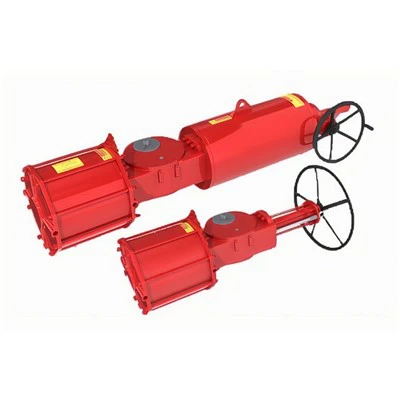
Hey, full transparency again — I don’t sell one-size-fits-all solutions, just good actuators that work with whatever control method you already have (or whatever you want to try). If you’re tired of fighting lag, dead signals, or messy wiring, and you want to pick the right remote control setup for your actuators, hit me up to chat through your project. No sales pitch, no weird pressure — just someone who’s been in your shoes troubleshooting this exact stuff for years. I’ll help you figure out what works, not just what I have in stock.
Ball Valve References:
- Bolton, W. (2015). Actuators: Theory and Applications. Newness.
- International Society of Automation (ISA). (2020). Industrial Wireless Communication Standards. ISA Press.
- Petruzella, F. D. (2018). Industrial Electronics. McGraw-Hill Education.
- LoRa Alliance. (2022). LoRaWAN Specification v1.0.3. LoRa Alliance Technical Committee.
- CAN in Automation (CiA). (2021). CANopen Application Layer and Communication Profile. CiA Publications.
Wuxi PYNOS Flow-tech Co., Ltd.
As one of the leading actuator manufacturers and suppliers in China, we offer a wide range of products with superior quality. We warmly welcome you to buy high quality actuator made in China here from our factory. We also accept customized orders.
Address: Sales Center: 7th Floor, No.19 Qingyuan RD, Wuxi City, Jiangsu Prov., China
E-mail: Info@pynosvalve.com
WebSite: https://www.pynosvalves.com/
