Troubleshooting a slide table that isn’t working properly can be a daunting task, but with the right approach, you can quickly identify and resolve the issue. As a supplier of slide tables and linear modules, I’ve encountered a wide range of problems over the years. In this blog, I’ll share some common issues and step-by-step troubleshooting methods to get your slide table back in top working condition. Slide Table and Linear Module
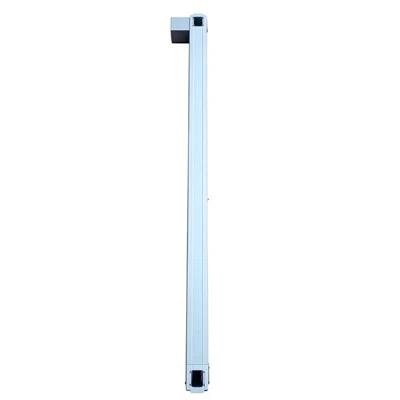
Common Issues with Slide Tables
Before diving into the troubleshooting process, it’s essential to understand the most common problems that can affect slide tables. Here are some issues you might encounter:
1. Movement Resistance
- Causes:
- Lack of lubrication: Over time, the lubricant on the slide table’s moving parts can dry up, increasing friction.
- Contamination: Dust, debris, or foreign particles can get into the slide table, obstructing its movement.
- Mechanical damage: Bent rails, worn-out ball bearings, or damaged sliders can cause uneven movement and resistance.
2. Inaccurate Positioning
- Causes:
- Loose components: If the bolts, nuts, or other fasteners are not tightened properly, the slide table may shift during operation, leading to inaccurate positioning.
- Encoder or sensor issues: Malfunctioning encoders or sensors can provide incorrect position feedback, causing the slide table to stop at the wrong positions.
- Backlash: Excessive backlash in the drive mechanism can result in a delay between the command and the actual movement, leading to positioning errors.
3. Noise and Vibration
- Causes:
- Imbalanced load: If the load on the slide table is not evenly distributed, it can cause vibrations and noise during movement.
- Worn-out parts: Damaged bearings, gears, or other moving parts can produce abnormal noise and vibrations.
- Loose parts: Similar to inaccurate positioning, loose components can rattle and cause noise.
4. Complete Failure to Move
- Causes:
- Electrical problems: Faulty wiring, blown fuses, or a malfunctioning motor controller can cut off the power supply to the slide table.
- Mechanical blockage: A severe mechanical blockage, such as a jammed slider or a broken drive belt, can prevent the slide table from moving.
Troubleshooting Steps
Step 1: Visual Inspection
- Check for visible damage: Examine the slide table for any signs of physical damage, such as bent rails, cracked sliders, or loose components. If you find any damaged parts, they may need to be replaced.
- Look for contamination: Check for dust, dirt, or other foreign particles on the slide table’s surface, rails, and moving parts. Use a clean, dry cloth to remove any visible contaminants.
- Inspect the wiring: Check the electrical wiring for any signs of damage, such as frayed wires or loose connections. If you find any issues, repair or replace the wiring as necessary.
Step 2: Lubrication Check
- Determine the lubrication requirements: Refer to the manufacturer’s specifications to determine the type and frequency of lubrication required for your slide table.
- Check the lubricant level: If your slide table has a lubrication reservoir, check the lubricant level. If it’s low, refill it with the recommended lubricant.
- Apply lubricant: If the slide table is due for lubrication, apply the recommended lubricant to the moving parts, such as the rails and ball bearings. Be careful not to over-lubricate, as this can attract more dirt and debris.
Step 3: Alignment Check
- Check the alignment of the rails: Use a straightedge or a laser alignment tool to check if the rails are properly aligned. If the rails are misaligned, they can cause movement resistance and inaccurate positioning. Adjust the rails as necessary to ensure proper alignment.
- Verify the load distribution: Make sure the load on the slide table is evenly distributed. An imbalanced load can cause vibrations, noise, and premature wear on the moving parts.
Step 4: Electrical System Check
- Test the power supply: Use a multimeter to check if the slide table is receiving the correct voltage. If the voltage is too low or too high, it can cause the motor to malfunction.
- Check the motor controller: If the slide table is controlled by a motor controller, check the controller’s settings and connections. Make sure the controller is functioning properly and that the settings are compatible with the slide table.
- Inspect the encoder or sensor: If the slide table uses an encoder or sensor for position feedback, check its connections and functionality. A malfunctioning encoder or sensor can cause inaccurate positioning.
Step 5: Drive Mechanism Check
- Inspect the drive belt or chain: If the slide table is driven by a belt or chain, check for any signs of wear, damage, or looseness. A worn or damaged belt or chain can cause slipping and inaccurate movement. Tighten or replace the belt or chain as necessary.
- Check the gears and bearings: Examine the gears and bearings for any signs of wear, damage, or excessive backlash. If the gears or bearings are worn out, they may need to be replaced.
Step 6: Testing and Adjustment
- Perform a test run: After completing the above troubleshooting steps, perform a test run of the slide table. Observe its movement, positioning accuracy, and noise level. If the problem persists, repeat the troubleshooting process or seek professional assistance.
- Make adjustments: If the slide table is still not working properly, you may need to make some adjustments. For example, you can adjust the motor speed, acceleration, or deceleration settings to optimize the performance of the slide table.
Preventive Maintenance
To avoid future problems with your slide table, it’s important to implement a regular preventive maintenance program. Here are some tips:
- Clean the slide table regularly: Use a clean, dry cloth to remove dust and debris from the slide table’s surface, rails, and moving parts.
- Lubricate the moving parts: Follow the manufacturer’s recommendations for lubrication to ensure smooth and efficient operation.
- Check the alignment and fastening: Periodically check the alignment of the rails and the tightness of the fasteners to prevent misalignment and looseness.
- Inspect the electrical system: Regularly inspect the electrical wiring, motor controller, encoder, and other components for any signs of damage or malfunction.
- Train your operators: Provide proper training to your operators on how to use and maintain the slide table correctly. This can help prevent operator errors and damage to the equipment.
Conclusion
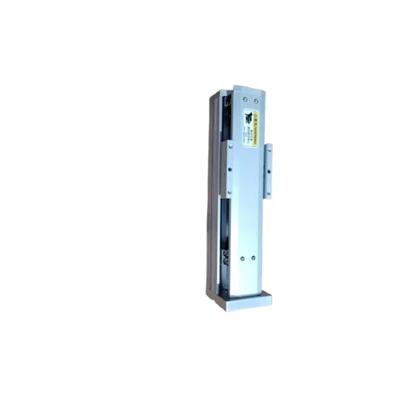
Troubleshooting a slide table that isn’t working properly requires a systematic approach. By following the steps outlined in this blog, you can identify and resolve the most common issues quickly and effectively. Remember, regular preventive maintenance is key to keeping your slide table in top working condition.
Manipulator If you’re facing persistent problems with your slide table or need assistance in selecting the right slide table or linear module for your application, don’t hesitate to reach out. Our team of experts is ready to provide you with the support and solutions you need. Contact us today to start a conversation about your unique requirements and explore how our products can enhance your operations.
References
- Manufacturer’s manuals for slide tables and linear modules.
- Technical literature on motion control systems.
- Industry best practices for troubleshooting and maintaining slide tables.
Yangning (Xiamen) Intelligent Technology Co., Ltd.
With abundant experience, we are one of the most professional slide table and linear module manufacturers in China. As we have world-leading production equipment and strong manufacturing capabilities, we warmly welcome you to buy bulk advanced slide table and linear module from our factory. Customized orders are welcome.
Address: Room 307-2, No. 15 Duiying Road, Software Park Phase III, Torch Hi-Tech Zone, Xiamen, Fujian, China
E-mail: mia@ynautos.com
WebSite: https://www.ynautos.com/
